Booking a test
Applies to: Owner, Administrator, Manager, Receptionist. Last reviewed: 2026-11-18.
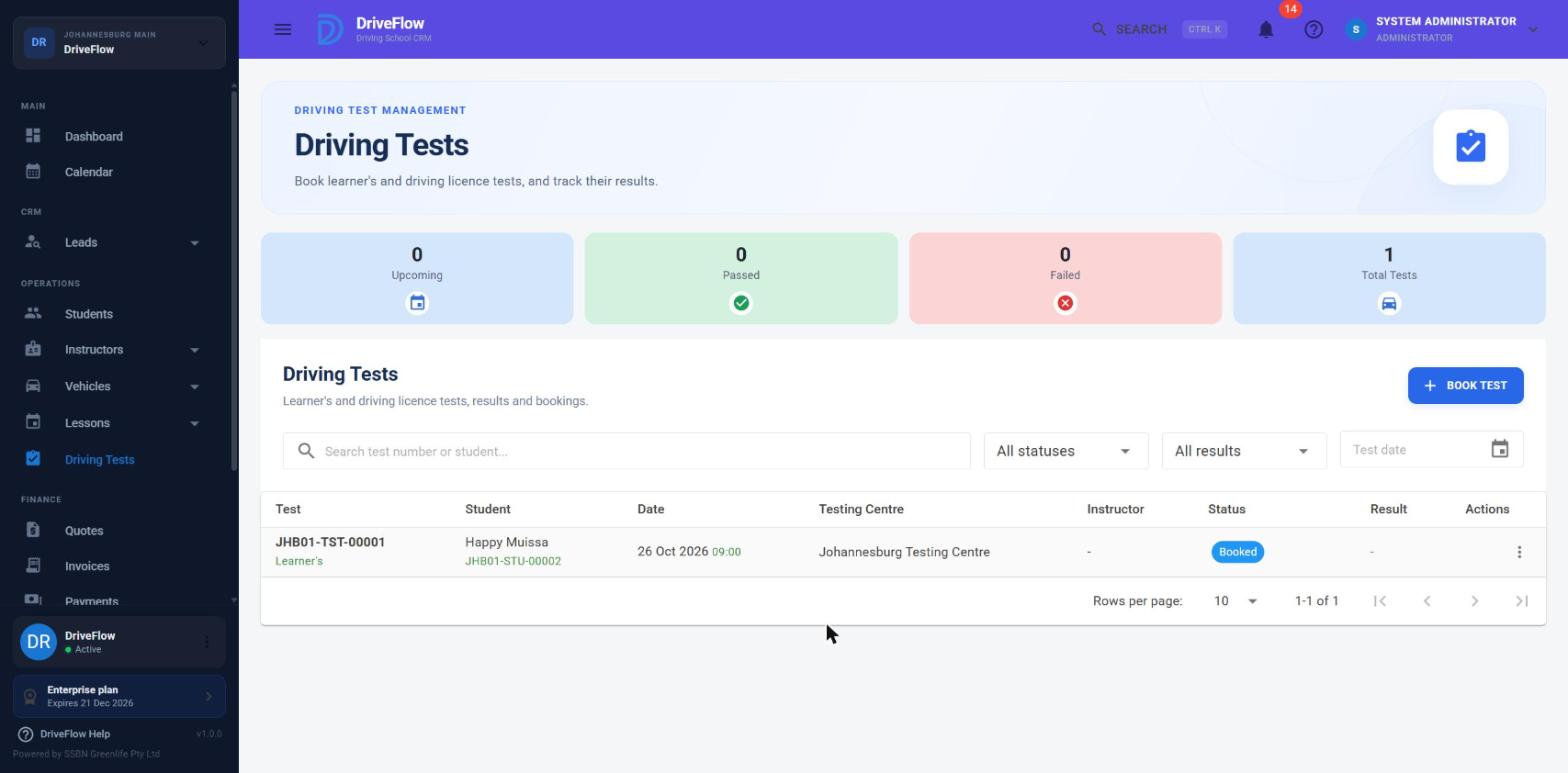
DriveFlow records two kinds of test for a student: the learner's licence test and the driving licence test. This page explains how to record a test booking.
Note
The test itself is booked with the testing authority outside DriveFlow; here you record the date, place and reference so the school can plan around it.
The two test types
| Learner's Licence Test | Driving Licence Test | |
|---|---|---|
| Shown in lists as | Learner's | Driving licence |
| Instructor and vehicle | Not used | Both required |
| Student must | Not already have a learner's licence | Have a learner's licence |
| Student status must be | Anything except On Hold, Inactive or Licensed | Learners Passed, Training Completed or Test Failed |
| Student status after booking | Registered or Learners Failed becomes Learners Pending; other statuses stay as they are | Ready For Test |
| Effect on lessons | Lessons can be booked on or after the test date for a student with no learner's licence | None |
Who can book a test
| Action | Permission | Default roles |
|---|---|---|
| See the Driving Tests menu and list | DrivingTests.View |
Owner, Administrator, Manager, Receptionist, Instructor, Finance, Viewer |
| Book Test | DrivingTests.Create |
Owner, Administrator, Manager, Receptionist |
Driving tests are not tied to a subscription feature; every plan has them.
Where to book
| Where | How | Student |
|---|---|---|
| Driving Tests page | Menu Driving Tests, then Book Test | You choose the student in the dialog |
| Student profile | Students, open the student, Driving Tests tab, book button | Filled in and locked |
Tests cannot be booked from the calendar.
The Book Driving Test dialog
Screenshot to be added
Screen: Book Driving Test dialog. Should show: Test Type set to Driving Licence Test so the Instructor and Vehicle fields show.
Fields appear in this order.
| # | Field | Required | Notes |
|---|---|---|---|
| 1 | Student | Yes | Search and pick the student. Locked when opened from a student's profile. If empty: "Please select a student." |
| 2 | Test Type | Yes | Learner's Licence Test or Driving Licence Test. Starts on Driving Licence Test. |
| 3 | Test Date | Yes | Starts on today, but the date must be in the future (see below). "Please select a test date." |
| 4 | Test Time | Yes | Starts on 09:00. "Please select a test time." |
| 5 | Testing Centre | Yes | Chosen from your school's testing centres. "Please select a testing centre." |
| 6 | Instructor | Yes, for a driving licence test | Only shown for a driving licence test. Lists active instructors at the student's branch. "Please select an instructor." |
| 7 | Vehicle | Yes, for a driving licence test | Only shown for a driving licence test. Lists vehicles usable at the student's branch. "Please select a vehicle." |
| 8 | Examiner | No | The examiner's name, up to 200 characters. Often only known on the day; it can be added when the result is recorded. |
| 9 | Booking Reference | No | The testing centre's reference for the booking, up to 100 characters. |
| 10 | Notes | No | Up to 1000 characters. |
The instructor and vehicle lists are empty until a student is chosen, because they depend on the student's branch. If you change the student, a choice that does not belong to the new student's branch is cleared.
Click Book Test. On success: "Driving test booked successfully."
Steps
- Go to Driving Tests and click Book Test.
- Choose the Student.
- Choose the Test Type.
- Enter the Test Date and Test Time given by the testing centre.
- Choose the Testing Centre.
- For a driving licence test, choose the Instructor who will accompany the student and the Vehicle to be used.
- Optionally enter the Examiner, the Booking Reference and Notes.
- Click Book Test.
What happens after saving
- The test gets a test number and the status Booked.
- It is linked to the student's branch and, if they have one, their active course.
- The student's status changes as shown in the table at the top.
- The test appears on the Driving Tests page, the student's Driving Tests tab, the Calendar (as a green one-hour tile), the vehicle's calendar, and in the student portal and mobile app.
- A reminder is sent to the student before the test, according to the school's notification settings. No notification is sent at the moment of booking. See Notifications.
Rules and messages
| Rule | Message |
|---|---|
| Student must exist | "Student not found." |
| A student can have only one test in Booked status at a time, of either type | "Student already has a scheduled driving test." |
| Test date must be after today | "Test date must be in the future." |
| Learner's test: student must not already hold a learner's licence | "Student already has a learner's licence and cannot book another learner's test." |
| Learner's test: status must not be On Hold, Inactive or Licensed | "Student is OnHold and cannot book a learner's test." |
| Driving licence test: student must hold a learner's licence | "Student must have a learner's licence to book a driving test." |
| Driving licence test: status must be Learners Passed, Training Completed or Test Failed | "Student is not eligible to book a driving test." |
| Driving licence test: vehicle required | "Vehicle is required for a driving licence test." |
| Instructor must exist and be active | "Instructor not found." / "Instructor is not active." |
| Vehicle must exist and be active | "Vehicle not found." / "Vehicle is not active." |
| Vehicle must be usable at the student's branch | "This vehicle is not available at the student's branch." |
About "not eligible"
Important
A student who is still In Training cannot be booked for a driving licence test. First complete their training (student profile, Lessons tab, Complete Training, or by completing all their lessons), which sets the status to Training Completed. See the student guide.
About the learner's test and lessons
A student with no learner's licence, on a package that includes lessons, cannot be booked for lessons until a learner's test is booked. Once it is, lessons can be scheduled on or after the test date. See Availability and conflicts.
Fees and invoices
Booking a test in DriveFlow does not create an invoice or a charge. Test fees, vehicle hire for the test and similar charges are billed through the student's package or by a separate invoice. See the finance guide.
Example
Lerato has finished her lessons and her status is Training Completed. The traffic department has given her a slot on 14 December at 08:30.
- Go to Driving Tests and click Book Test.
- Student: Lerato Nkosi. Test Type: Driving Licence Test.
- Test Date: 14 December. Test Time: 08:30.
- Testing Centre: Centurion DLTC.
- Instructor: Sipho Dlamini. Vehicle: the Polo.
- Booking Reference: the reference on her confirmation.
- Click Book Test.
Lerato's status becomes Ready For Test and the test shows on the calendar.
Limitations and notes
- No clash checking when booking. The instructor and vehicle are not checked against lessons or other tests when a test is booked. The same instructor and vehicle can be booked for a lesson at the test time. Check the calendar yourself. (Clashes are checked only when a test is moved by dragging; see Scheduling a test.)
- The instructor is required by the dialog but not by the server. A driving licence test sent without an instructor is accepted; the dialog always asks for one.
- The instructor's branch and licence code are not checked when booking. The dialog only lists instructors of the student's branch.
- The date defaults to today, which is not accepted. You must pick a later date. A test for today cannot be recorded, and the check uses the server's date in UTC rather than the branch's local date.
- One booked test at a time. A student cannot have a learner's test and a driving licence test booked together.
- The test type cannot be changed after booking. Cancel the test and book again.
- Student status "Test Booked" is not set by booking. Booking a driving licence test sets Ready For Test.
- Test duration is not recorded. Wherever a length is needed, one hour is assumed.
- No booking notification to the student or instructor; only the later reminder.
- Whether inactive testing centres are hidden from the Testing Centre list could not be confirmed from the code reviewed; see Testing centres.
Check the calendar for clashes
Booking a test does not check the instructor or vehicle against lessons. Look at the instructor's and vehicle's day on the Calendar before you book.
Related articles
- Scheduling a test - changing, moving and cancelling a test.
- Test results - recording a pass or fail.
- Test history - all tests for a student or the school.
- Testing centres - the list of centres to choose from.
- Availability and conflicts - the learner's licence rule for lessons.